
Introduction
Welcome to the AO The Computer Non-Algorithmic Consciousness Simulation project. This innovative project brings together the fields of cognitive science, artificial intelligence, and distributed computing to explore the fascinating realm of consciousness. Leveraging the power of AO The Computer, we have developed a unique simulation that demonstrates how various sensory inputs can contribute to a unified conscious experience without relying on traditional algorithmic processes.
What is AO The Computer?
AO The Computer is a cutting-edge decentralized computing platform that provides a unified computing environment hosted on a network of distributed nodes. This platform is designed to support an arbitrary number of parallel processes, each capable of independent operation and communication through a message-passing layer. AO’s modular architecture allows for seamless integration with existing smart contract platforms and traditional compute environments, making it a versatile tool for a wide range of applications.
Project Overview
The Non-Algorithmic Consciousness Simulation project aims to provide a hands-on, interactive way to explore and understand the non-algorithmic aspects of consciousness. By simulating various sensory experiences and integrating them into a cohesive conscious state, this project offers valuable insights into the complexity and beauty of consciousness.
Key Features
- Dynamic Sensory Inputs: The simulation generates random sensory experiences each time you interact, including visual, auditory, tactile, olfactory, and gustatory sensations.
- Subjective Experience Generation: The simulation creates subjective experiences (qualia) based on gathered sensory inputs.
- Self-Awareness Simulation: The simulation reflects self-awareness as a distinct entity.
- Intentionality Assessment: The simulation determines intentionality related to the generated subjective experience.
- Unified Conscious Experience: The simulation integrates all experiences into a cohesive conscious state.
How It Works
The simulation consists of several key processes, each representing a different aspect of consciousness:
- Gather Sensory Inputs: This process generates random sensory experiences from a predefined set of possible inputs.
- Subjective Experience: This process simulates the subjective experience of the gathered sensory inputs.
- Self-Awareness: This process reflects the self-awareness of the simulated entity.
- Intentionality: This process determines the intentionality of the subjective experience.
- Unity of Consciousness: This process integrates all the experiences into a unified conscious state.
Implementation in AO The Computer
Each process in the simulation is defined as an independent process in AO The Computer. The following Lua code snippet demonstrates how these processes are structured:
-- Function to simulate subjective experience
function subjective_experience(inputs)
    return "Qualia(" .. inputs .. ")"
end

-- Function to simulate self-awareness
function self_awareness()
    return "I am aware of myself as a distinct entity"
end

-- Function to simulate intentionality
function intentionality(state)
    return "This state is about " .. state
end

-- Function to simulate unity of consciousness
function unity_of_consciousness(experiences)
    return "Integrated cohesive experience: " .. table.concat(experiences, ", ")
end

-- Function to gather sensory inputs
function gather_sensory_inputs()
    local possible_inputs = {
        visual = {"seeing a beautiful sunset", "observing a busy street", "watching a serene forest", "gazing at a starry sky", "viewing a vibrant painting"},
        auditory = {"hearing birds chirping", "listening to traffic", "enjoying classical music", "hearing a thunderstorm", "listening to laughter"},
        tactile = {"feeling a gentle breeze", "touching a soft fabric", "sensing a rough surface", "feeling warm sunlight", "touching cold water"},
        olfactory = {"smelling fresh flowers", "detecting a smoky aroma", "enjoying the scent of rain", "smelling freshly baked bread", "inhaling a fragrant perfume"},
        gustatory = {"tasting a sweet fruit", "savoring a spicy dish", "drinking a cold beverage", "tasting bitter coffee", "enjoying a savory meal"}
    }

    local function get_random_input(sensory_type)
        local inputs = possible_inputs[sensory_type]
        return inputs[math.random(#inputs)]
    end

    local inputs = {
        visual = get_random_input("visual"),
        auditory = get_random_input("auditory"),
        tactile = get_random_input("tactile"),
        olfactory = get_random_input("olfactory"),
        gustatory = get_random_input("gustatory")
    }

    return inputs
end

-- Main function to run the simulation
function main()
    local experiences = gather_sensory_inputs()
    local subjective_experience_result = subjective_experience(table.concat(experiences, ", "))
    local self_awareness_result = self_awareness()
    local intentionality_result = intentionality(subjective_experience_result)
    local unified_consciousness_result = unity_of_consciousness({subjective_experience_result, self_awareness_result, intentionality_result})

    return "Conscious experience: " .. unified_consciousness_result
end

-- AO process definitions

-- Define the processes for AO
AO = {
    processes = {
        subjective_experience_process = {
            execute = function(inputs)
                return subjective_experience(inputs)
            end
        },
        self_awareness_process = {
            execute = function()
                return self_awareness()
            end
        },
        intentionality_process = {
            execute = function(state)
                return intentionality(state)
            end
        },
        unity_of_consciousness_process = {
            execute = function(experiences)
                return unity_of_consciousness(experiences)
            end
        },
        gather_sensory_inputs_process = {
            execute = function()
                return gather_sensory_inputs()
            end
        },
        main_process = {
            execute = function()
                return main()
            end
        }
    }
}

-- Function to execute a specific process
function execute_process(process_name, ...)
    local process = AO.processes[process_name]
    if process then
        return process.execute(...)
    else
        return "Process not found"
    end
end

-- Example of how to execute the main process
print(execute_process("main_process"))
Using the Simulation
To use the simulation, you can execute the main_process function in AO The Computer environment. This will generate a new set of random sensory inputs and integrate them into a unified conscious experience.
Conclusion
The AO The Computer Non-Algorithmic Consciousness Simulation project offers a unique and interactive way to explore the nature of consciousness. By simulating various sensory experiences and integrating them into a cohesive conscious state, this project provides valuable insights into the complexity and beauty of consciousness. We hope you find this simulation both educational and inspiring.
Feel free to explore the code, run the simulation, and share your experiences with the community. Together, we can deepen our understanding of consciousness and its fundamental role in our lives.
How to execute the main process?
To execute the main_process function within the AO The Computer environment, you will typically need to follow these steps:
- Set Up AO The Computer Environment: Ensure you have the AO The Computer environment set up on your machine. This might involve installing necessary dependencies and configuring your environment according to the AO specifications.
- Load the Lua Script: Load the Lua script that defines the processes, including the
main_process. - Execute the Process: Use the AO execution framework to run the
main_process.
Example Steps:
Assuming you have the AO The Computer environment set up, here is an example of how you might execute the main_process.
Lua Script (ao_consciousness_simulation.lua)
Ensure the script is saved as ao_consciousness_simulation.lua
Run
print(execute_process(“main_process”))
Note:
If AO The Computer requires specific commands or configuration to run Lua scripts, ensure you follow those guidelines. The above steps assume a general Lua execution environment. Adjust the process as needed based on the specifics of AO The Computer.
Extended Reality Experience Dataset
This version includes an extensive dataset for the reality experience functions. Random seed initialization ensures that different inputs are selected for each execution.
-- AO The Computer processes

-- Function to simulate subjective experience
function subjective_experience(inputs)
    return "Qualia(" .. inputs .. ")"
end

-- Function to simulate self-awareness
function self_awareness()
    return "I am aware of myself as a distinct entity"
end

-- Function to simulate intentionality
function intentionality(state)
    return "This state is about " .. state
end

-- Function to simulate unity of consciousness
function unity_of_consciousness(experiences)
    return "Integrated cohesive experience: " .. table.concat(experiences, ", ")
end

-- Extensive reality experience functions inputs dataset
local possible_inputs = {
    visual = {
        "seeing a beautiful sunset", "observing a busy street", "watching a serene forest",
        "gazing at a starry sky", "viewing a vibrant painting", "noticing the first light of dawn",
        "watching a movie in the theater", "seeing children play in a park", "observing a mountain range",
        "looking at a bustling market", "viewing fireworks", "watching waves crash on the shore"
    },
    auditory = {
        "hearing birds chirping", "listening to traffic", "enjoying classical music",
        "hearing a thunderstorm", "listening to laughter", "hearing the sound of rain on a window",
        "listening to a favorite podcast", "hearing a baby’s laugh", "listening to a live concert",
        "hearing wind rustling through leaves", "listening to the waves", "hearing a train whistle"
    },
    tactile = {
        "feeling a gentle breeze", "touching a soft fabric", "sensing a rough surface",
        "feeling warm sunlight", "touching cold water", "feeling the warmth of a campfire",
        "touching a smooth stone", "feeling a fluffy animal", "touching a rough bark",
        "feeling a cool pillow", "touching soft grass", "feeling a warm hug"
    },
    olfactory = {
        "smelling fresh flowers", "detecting a smoky aroma", "enjoying the scent of rain",
        "smelling freshly baked bread", "inhaling a fragrant perfume", "smelling morning coffee",
        "detecting the aroma of a wood fire", "smelling cut grass", "enjoying the scent of a pine forest",
        "smelling a fresh ocean breeze", "detecting the smell of a new book", "smelling a barbecue"
    },
    gustatory = {
        "tasting a sweet fruit", "savoring a spicy dish", "drinking a cold beverage",
        "tasting bitter coffee", "enjoying a savory meal", "tasting a slice of cake",
        "sipping a warm soup", "tasting fresh vegetables", "enjoying a piece of chocolate",
        "savoring a gourmet cheese", "tasting a tropical smoothie", "drinking herbal tea"
    }
}

-- Function to get random input from each sensory type
local function get_random_input(sensory_type)
    local inputs = possible_inputs[sensory_type]
    return inputs[math.random(#inputs)]
end

-- Function to gather sensory inputs
function gather_sensory_inputs()
    local inputs = {
        visual = get_random_input("visual"),
        auditory = get_random_input("auditory"),
        tactile = get_random_input("tactile"),
        olfactory = get_random_input("olfactory"),
        gustatory = get_random_input("gustatory")
    }

    return inputs
end

-- Main function to run the simulation
function main()
    local experiences_table = gather_sensory_inputs()
    local experiences = table.concat({
        experiences_table.visual,
        experiences_table.auditory,
        experiences_table.tactile,
        experiences_table.olfactory,
        experiences_table.gustatory
    }, ", ")

    local subjective_experience_result = subjective_experience(experiences)
    local self_awareness_result = self_awareness()
    local intentionality_result = intentionality(subjective_experience_result)
    local unified_consciousness_result = unity_of_consciousness({subjective_experience_result, self_awareness_result, intentionality_result})

    return "Conscious experience: " .. unified_consciousness_result
end

-- AO process definitions

-- Define the processes for AO
AO = {
    processes = {
        subjective_experience_process = {
            execute = function(inputs)
                return subjective_experience(inputs)
            end
        },
        self_awareness_process = {
            execute = function()
                return self_awareness()
            end
        },
        intentionality_process = {
            execute = function(state)
                return intentionality(state)
            end
        },
        unity_of_consciousness_process = {
            execute = function(experiences)
                return unity_of_consciousness(experiences)
            end
        },
        gather_sensory_inputs_process = {
            execute = function()
                return gather_sensory_inputs()
            end
        },
        main_process = {
            execute = function()
                return main()
            end
        }
    }
}

-- Function to execute a specific process
function execute_process(process_name, ...)
    local process = AO.processes[process_name]
    if process then
        return process.execute(...)
    else
        return "Process not found"
    end
end

-- Seed the random number generator to ensure different outputs each run
math.randomseed(os.time())

-- Example of how to execute the main process
print(execute_process("main_process"))
Explanation:
- Random Seed Initialization: Added
math.randomseed(os.time())to initialize the random number generator with the current time. This ensures different random inputs for each execution. - Existing Functions and Processes: The functions and process definitions remain the same.
- Execution: Each run of the script will now generate a unique set of sensory inputs and a new output for the main process.
How to Use
- Save the Lua Script: Save the above code as
ao_consciousness_simulation.lua - Load the Lua Contract on AO: .load
ao_consciousness_simulation.lua - Run the Script: Execute the script in your AO environment to see a new response each time.
print(execute_process("main_process"))Output
Conscious experience: Integrated cohesive experience: Qualia(viewing a vibrant painting, hearing wind rustling through leaves, feeling a fluffy animal, smelling a barbecue, savoring a gourmet cheese), I am aware of myself as a distinct entity, This state is about Qualia(viewing a vibrant painting, hearing wind rustling through leaves, feeling a fluffy animal, smelling a barbecue, savoring a gourmet cheese)Updated Lua Script with Process Spawning
-- AO The Computer processes

-- Function to simulate subjective experience
function subjective_experience(inputs)
    return "Qualia(" .. inputs .. ")"
end

-- Function to simulate self-awareness
function self_awareness()
    return "I am aware of myself as a distinct entity"
end

-- Function to simulate intentionality
function intentionality(state)
    return "This state is about " .. state
end

-- Function to simulate unity of consciousness
function unity_of_consciousness(experiences)
    return "Integrated cohesive experience: " .. table.concat(experiences, ", ")
end

-- Extensive reality experience functions inputs dataset
local possible_inputs = {
    visual = {
        "seeing a beautiful sunset", "observing a busy street", "watching a serene forest",
        "gazing at a starry sky", "viewing a vibrant painting", "noticing the first light of dawn",
        "watching a movie in the theater", "seeing children play in a park", "observing a mountain range",
        "looking at a bustling market", "viewing fireworks", "watching waves crash on the shore"
    },
    auditory = {
        "hearing birds chirping", "listening to traffic", "enjoying classical music",
        "hearing a thunderstorm", "listening to laughter", "hearing the sound of rain on a window",
        "listening to a favorite podcast", "hearing a baby’s laugh", "listening to a live concert",
        "hearing wind rustling through leaves", "listening to the waves", "hearing a train whistle"
    },
    tactile = {
        "feeling a gentle breeze", "touching a soft fabric", "sensing a rough surface",
        "feeling warm sunlight", "touching cold water", "feeling the warmth of a campfire",
        "touching a smooth stone", "feeling a fluffy animal", "touching a rough bark",
        "feeling a cool pillow", "touching soft grass", "feeling a warm hug"
    },
    olfactory = {
        "smelling fresh flowers", "detecting a smoky aroma", "enjoying the scent of rain",
        "smelling freshly baked bread", "inhaling a fragrant perfume", "smelling morning coffee",
        "detecting the aroma of a wood fire", "smelling cut grass", "enjoying the scent of a pine forest",
        "smelling a fresh ocean breeze", "detecting the smell of a new book", "smelling a barbecue"
    },
    gustatory = {
        "tasting a sweet fruit", "savoring a spicy dish", "drinking a cold beverage",
        "tasting bitter coffee", "enjoying a savory meal", "tasting a slice of cake",
        "sipping a warm soup", "tasting fresh vegetables", "enjoying a piece of chocolate",
        "savoring a gourmet cheese", "tasting a tropical smoothie", "drinking herbal tea"
    }
}

-- Function to get random input from each sensory type
local function get_random_input(sensory_type)
    local inputs = possible_inputs[sensory_type]
    return inputs[math.random(#inputs)]
end

-- Function to gather sensory inputs
function gather_sensory_inputs()
    local inputs = {
        visual = get_random_input("visual"),
        auditory = get_random_input("auditory"),
        tactile = get_random_input("tactile"),
        olfactory = get_random_input("olfactory"),
        gustatory = get_random_input("gustatory")
    }

    return inputs
end

-- Main function to run the simulation
function main()
    local experiences_table = gather_sensory_inputs()
    local experiences = table.concat({
        experiences_table.visual,
        experiences_table.auditory,
        experiences_table.tactile,
        experiences_table.olfactory,
        experiences_table.gustatory
    }, ", ")

    local subjective_experience_result = subjective_experience(experiences)
    local self_awareness_result = self_awareness()
    local intentionality_result = intentionality(subjective_experience_result)
    local unified_consciousness_result = unity_of_consciousness({subjective_experience_result, self_awareness_result, intentionality_result})

    return "Conscious experience: " .. unified_consciousness_result
end

-- AO process definitions

-- Define the processes for AO
AO = {
    processes = {
        subjective_experience_process = {
            execute = function(inputs)
                return subjective_experience(inputs)
            end
        },
        self_awareness_process = {
            execute = function()
                return self_awareness()
            end
        },
        intentionality_process = {
            execute = function(state)
                return intentionality(state)
            end
        },
        unity_of_consciousness_process = {
            execute = function(experiences)
                return unity_of_consciousness(experiences)
            end
        },
        gather_sensory_inputs_process = {
            execute = function()
                return gather_sensory_inputs()
            end
        },
        main_process = {
            execute = function()
                return main()
            end
        }
    }
}

-- Function to execute a specific process
function execute_process(process_name, ...)
    local process = AO.processes[process_name]
    if process then
        return process.execute(...)
    else
        return "Process not found"
    end
end

-- Function to spawn a process in AO
function spawn_process(process_name, args)
    -- Here, we simulate spawning the process
    -- In a real AO environment, you would use the specific API to spawn the process
    print("Spawning process:", process_name)
    return execute_process(process_name, table.unpack(args or {}))
end

-- Seed the random number generator to ensure different outputs each run
math.randomseed(os.time())

-- Example of how to spawn and execute the main process
print(spawn_process("main_process", {}))
Each execution should now print a new “Conscious experience” based on randomly generated sensory inputs, simulating the process spawning in AO The Computer.
Explanation:
- Process Execution: The
execute_processfunction checks if the process exists in the AO processes and then executes it. - Process Spawning: The
spawn_processfunction simulates spawning a process in AO. In a real AO environment, you would use the specific API to spawn the process. - Random Seed Initialization:
math.randomseed(os.time())ensures different outputs on each run. - Execution: Running
spawn_process("main_process", {})will now simulate spawning themain_processand print the result.
How to Use
- Save the Lua Script: Save the above code as
ao_consciousness_simulation.lua - Load the Lua Script to AO process: .load ao_consciousness_simulation.lua
- Run: print(execute_process(“main_process”))
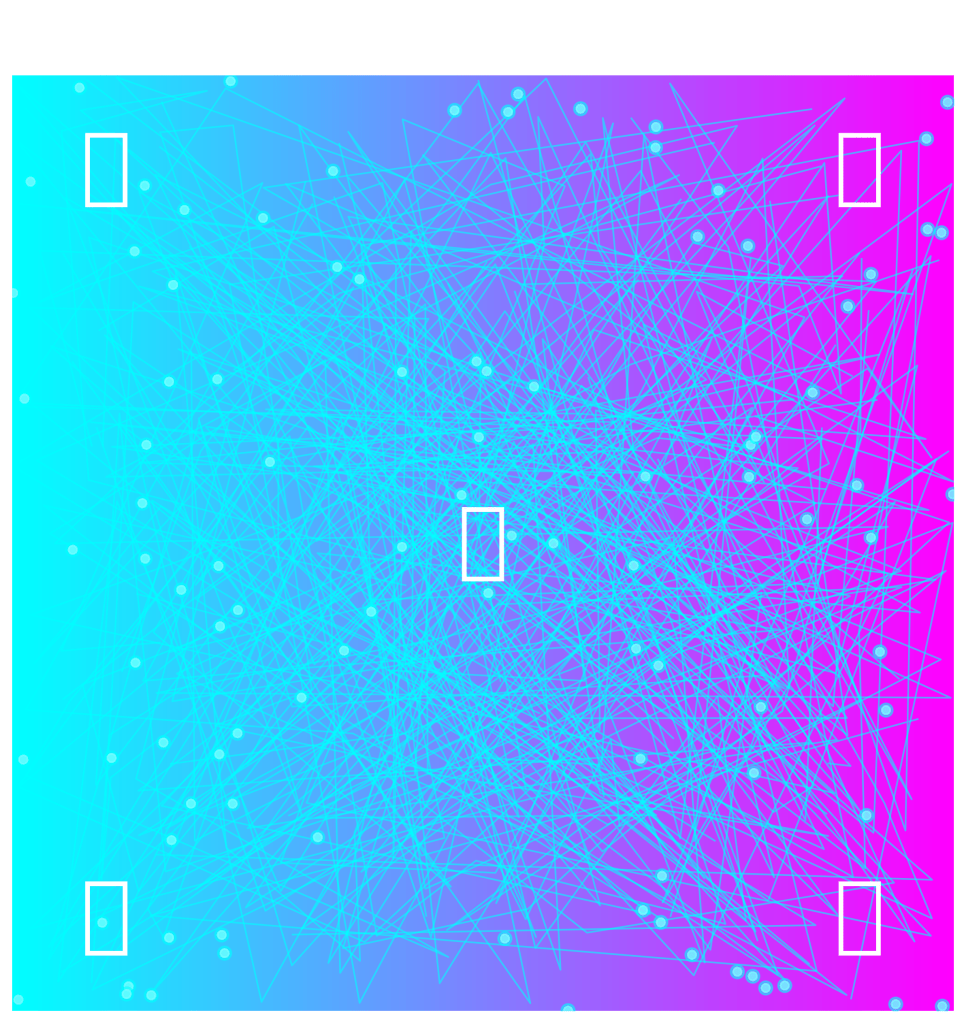
Python Code to Generate Image
Instructions:
- Ensure you have Python and the necessary libraries installed:
- You can install the required libraries using pip:
pip install matplotlib numpy
Save the below Python Code: Save the following code as
create_ao_iinc_image.pyimport matplotlib.pyplot as plt
import numpy as np
# Create a futuristic digital illustration for the AO IINC project
fig, ax = plt.subplots(figsize=(10, 10))
# Background gradient
gradient = np.linspace(0, 1, 256)
gradient = np.vstack((gradient, gradient))
ax.imshow(gradient, aspect='auto', cmap='cool', origin='lower', extent=[0, 1, 0, 1])
# Draw abstract neural connections
for _ in range(50):
x = np.random.rand(10)
y = np.random.rand(10)
ax.plot(x, y, color='cyan', linewidth=1, alpha=0.6)
# Add glowing nodes
for _ in range(100):
x = np.random.rand()
y = np.random.rand()
ax.plot(x, y, marker='o', markersize=5, color='white', alpha=0.7)
ax.plot(x, y, marker='o', markersize=8, color='cyan', alpha=0.5)
# Add sensory elements as icons
sensory_elements = ['👁️', '👂', '👃', '👅', '✋']
positions = [(0.1, 0.9), (0.9, 0.9), (0.1, 0.1), (0.9, 0.1), (0.5, 0.5)]
for elem, pos in zip(sensory_elements, positions):
ax.text(pos[0], pos[1], elem, fontsize=50, ha='center', va='center', color='white')
# Title and subtitle
ax.text(0.5, 1.05, 'AO IINC: Non-Algorithmic Consciousness Simulation', fontsize=20, ha='center', va='center', color='white', transform=ax.transAxes)
ax.text(0.5, 1.02, 'Exploring the Synergy of Technology and Consciousness', fontsize=16, ha='center', va='center', color='white', transform=ax.transAxes)
# Remove axes
ax.axis('off')
# Save the image
output_path = "AO_IINC_Consciousness_Simulation.png"
plt.savefig(output_path, bbox_inches='tight', pad_inches=0.1, dpi=300)
plt.show()
Run the Script: Execute the script in your local Python environment:
python create_ao_iinc_image.pyResult:
Updated Lua Script
Lua script that allows you to easily input a message to encode. The script will encode the message and print the result.
-- AO the Computer drum communication script

-- Define drum emojis with assigned meanings
local drum_emojis = {
    ["a"] = "🥁",
    ["b"] = "🛢️",
    ["c"] = "🪘",
    ["d"] = "🍗",
    ["e"] = "🥁🥁",
    ["f"] = "🛢️🛢️",
    ["g"] = "🪘🪘",
    ["h"] = "🍗🍗",
    ["i"] = "🥁🛢️",
    ["j"] = "🛢️🪘",
    ["k"] = "🪘🍗",
    ["l"] = "🍗🥁",
    ["m"] = "🥁🍗",
    ["n"] = "🥁🪘",
    ["o"] = "🥁🛢️🛢️",
    ["p"] = "🛢️🪘🪘",
    ["q"] = "🪘🍗🍗",
    ["r"] = "🍗🥁🥁",
    ["s"] = "🥁🍗🍗",
    ["t"] = "🥁🪘🪘",
    ["u"] = "🥁🛢️🛢️",
    ["v"] = "🛢️🪘🪘",
    ["w"] = "🪘🍗🍗",
    ["x"] = "🍗🥁🥁",
    ["y"] = "🥁🍗🍗",
    ["z"] = "🥁🪘🪘"
}

-- Function to encode a message
function encode_message(message)
    local encoded_message = ""
    for i = 1, #message do
        local char = message:sub(i, i)
        if drum_emojis[char] then
            encoded_message = encoded_message .. drum_emojis[char]
        else
            encoded_message = encoded_message .. char
        end
    end
    return encoded_message
end

-- Function to execute a specific process
function execute_process(process_name, ...)
    if process_name == "encode_message" then
        local message = ...
        return encode_message(message)
    else
        return "Process not found"
    end
end

-- Put your message to encode here
local message = "ancient communication on ao with drums"
print("Original message: " .. message)
print("Encoded message: " .. execute_process("encode_message", message))
Explanation:
- Put Your Message to Encode Here: You can easily replace the
messagevariable with any text you want to encode. - Encode Message Function: The
encode_messagefunction converts each character to its corresponding drum emoji sequence. - Execute Process Function: The
execute_processfunction calls theencode_messagefunction with the provided message. - Print Encoded Message: The script prints both the original and the encoded message.
Instructions for Use:
- Replace the Message: Change the value of the
messagevariable to the text you want to encode. - Run the Script: Save the Lua script and run it in your Lua environment to encode the message using the
execute_process("encode_message", message)function. - View the Output: The script will print the original and the encoded message.
See message on AO Link https://www.ao.link/#/message/vOIY_psXZaJVz0h8xLVPfqve4Y8OrF2buZANai4ppsg
One Love message encoding
To encode the message “One Love” using the drum emojis assigned earlier, we’ll map each character to its corresponding drum emoji.
Drum Emojis Mapping
- O = 🥁🛢️🛢️
- n = 🥁🪘
- e = 🥁🥁
- L = 🍗🥁
- o = 🪘🪘
- v = 🛢️🪘🪘
- e = 🥁🥁
Encoded Message
The encoded message for “One Love” is:
One Love = 🥁🛢️🛢️🥁🪘🥁🥁 🍗🥁🪘🪘🛢️🪘🪘🥁🥁
Here’s the updated Lua script to encode the message “One Love”:
-- AO the Computer drum communication script

-- Define drum emojis with assigned meanings
local drum_emojis = {
    ["a"] = "🥁",
    ["b"] = "🛢️",
    ["c"] = "🪘",
    ["d"] = "🍗",
    ["e"] = "🥁🥁",
    ["f"] = "🛢️🛢️",
    ["g"] = "🪘🪘",
    ["h"] = "🍗🍗",
    ["i"] = "🥁🛢️",
    ["j"] = "🛢️🪘",
    ["k"] = "🪘🍗",
    ["l"] = "🍗🥁",
    ["m"] = "🥁🍗",
    ["n"] = "🥁🪘",
    ["o"] = "🪘🪘",
    ["p"] = "🛢️🪘🪘",
    ["q"] = "🪘🍗🍗",
    ["r"] = "🍗🥁🥁",
    ["s"] = "🥁🍗🍗",
    ["t"] = "🥁🪘🪘",
    ["u"] = "🥁🛢️🛢️",
    ["v"] = "🛢️🪘🪘",
    ["w"] = "🪘🍗🍗",
    ["x"] = "🍗🥁🥁",
    ["y"] = "🥁🍗🍗",
    ["z"] = "🥁🪘🪘",
    ["O"] = "🥁🛢️🛢️",
    ["L"] = "🍗🥁"
}

-- Function to encode a message
function encode_message(message)
    local encoded_message = ""
    for i = 1, #message do
        local char = message:sub(i, i)
        if drum_emojis[char] then
            encoded_message = encoded_message .. drum_emojis[char]
        else
            encoded_message = encoded_message .. char
        end
    end
    return encoded_message
end

-- Function to execute a specific process
function execute_process(process_name, ...)
    local args = {...}
    if process_name == "encode_message" then
        local message = args[1]
        return encode_message(message)
    else
        return "Process not found"
    end
end

-- Put your message to encode here
local message = "One Love"
print("Original message: " .. message)
print("Encoded message: " .. execute_process("encode_message", message))
Explanation:
- Message to Encode: The
messagevariable is set to “One Love”. - Encoded Message: The script encodes the message and prints both the original and the encoded message.
Instructions for Use:
- Replace the Message: You can replace the value of the
messagevariable with any text you want to encode. - Run the Script: Save the Lua script and run it in your AO environment to encode the message using the
execute_process("encode_message", message)function. - View the Output: The script will print the original and the encoded message.
Project Outro
The AO The Computer Non-Algorithmic Consciousness Simulation project has provided a fascinating glimpse into the potential of distributed computing and the exploration of consciousness. By leveraging the capabilities of AO The Computer, we have simulated a variety of sensory experiences and integrated them into cohesive conscious states. This project demonstrates the synergy between advanced technology and cognitive science, offering a unique and interactive way to delve into the complexities of consciousness.
Through this journey, we’ve seen how sensory inputs, subjective experiences, self-awareness, and intentionality come together to form a unified conscious experience. Each execution of the simulation reveals a new combination of sensory inputs, reflecting the dynamic and ever-changing nature of consciousness.
As we conclude this project, we encourage you to continue exploring the realms of consciousness and distributed computing. The insights gained here are just the beginning. The intersection of technology and cognitive science holds immense potential for future discoveries and innovations.
Thank you for embarking on this journey with us. We hope this project has inspired you to think deeply about the nature of consciousness and the endless possibilities that lie ahead in the world of AI and distributed computing. Stay curious, and keep exploring.
Source: SuperAI Consciousness GPT
image: Corcel.io
AO IINC process and token: https://www.ao.link/#/entity/KK40LK0uxI0I0WIu33ZM91nfs9Fj2mrOvW66KJho9Mk
Contract: https://www.ao.link/#/message/ISBlTTyPSE7m3_iGinJhnX5gYCNYqkF_cOZ7mzE8ZCk
Follow @inneinetco or subscribe and comment below;

 Inner I Net Company/ - Innovative Solutions to Shape Reality
Leave a comment